

关于Clone Camera
双摄像头克隆自己。制作有趣的多照片。多照片。克隆相机
Do you wish clone yourself and make awesome photos (photo clone)?
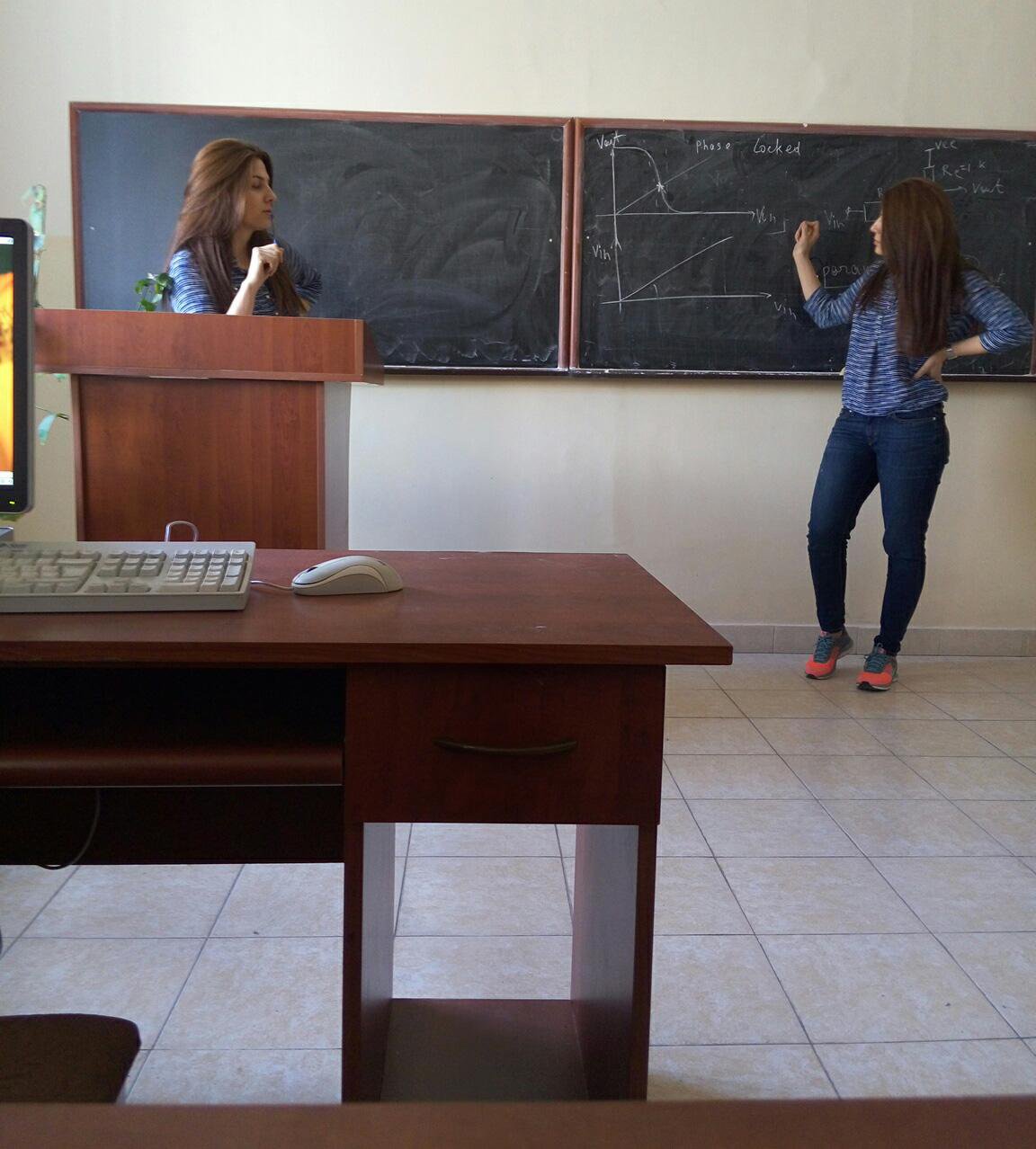
Camera clone allows to clone yourself and due to special algorithms create flawless clone photos.
Everything is very simple. When photographer open the clone camera application, application will split camera into two parts. First stay somewhere on the left side to be visible in first part of photo. When photographer first press capture button first part of your photo will be captured and it will become partly transparent to help photographer capture second part without deflection. Than you should capture second part. Move to right to be captured once agin. Photographer should not change camera position to create clone photo without deflection. In any case it is impossible to take a clone photo without deflection. When the split photo will be completely captured there will be appear twin camera photo horizontal deflection, vertical deflection and brightness controll buttons to change position and brightness of first part of twin camera photo. There are 2 stage of each twin photo adjustments.
How To use clone camera
- Place the subject in the left frame on the screen and take the first shot
- Hold the camera steady, place them in the right frame and shot again
- Regulate clone multi photo brightness
- Regulate clone multi photo position
- Clone Yourself
- Twin Photos
- Manual adjustments
. Multi Photo Camera Horizontal Adjustment
. Multi Photo Camera Vertical Adjustment
. Multi Photo Camera Brightness Adjustment
- Multi Photo Camera
- Twin Me
- Cloneing
- Picture clone
- Multicamera
For a better results you should not move camera after taking the first shot
最新版本1.0更新日志
Last updated on 2016年04月14日
此版本包含小幅错误修复和常规改进。请更新至最新版本,以获得更佳体验。
Clone Camera 屏幕截图



Clone Camera历史版本
2.1 MB2016年04月14日