
关于Math Function
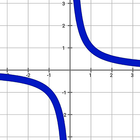
绘制数学函数并执行计算。
○ Prepare a function by buttons at the top.
○ Tap the graphic section to draw.
○ Enter a value for X, the result is calculated.
○ There are four rows at bottom app section that keep formulas for further usage.
to remove a formula, long press it
○ to graph charts together select checkboxes at bottom section(up to four items)
○ Units number of the chart section is changeable. By default, it is set to 20. Choose a value between 5 to 80. For more details and accuracy try low ranges, and for more result to view set great numbers.
○ Axes are displaceable up to 1000 units in both side.
○ to draw chart fullscreen:
After the graph is drawn, touch the graphic section again. And also in vertical mode rotate your device Horizontally.
○ In the setting section you can choose:
- themes,
- custom themes
- thickness and color of the chart.
- dark mode
- hide unit numbers and guidelines
- select a pre function
and more.
○ As you enter a function it's saved for further usage. (up to fifty items)
To install the free version, touch the link below:
https://play.google.com/store/apps/details?id=com.nazofar.MathFunctionDrawingfree
最新版本6.9.7.1更新日志
Last updated on 2022年07月31日
此版本包含小幅错误修复和常规改进。请更新至最新版本,以获得更佳体验。
Math Function 屏幕截图