
关于Jbak TaskMan
来 Google Play 网购吧!购买内容之后,立刻就可以在您的 Android 手机或平板电脑上享用,摆脱一切同步烦恼。
Task manager for android.
Features:
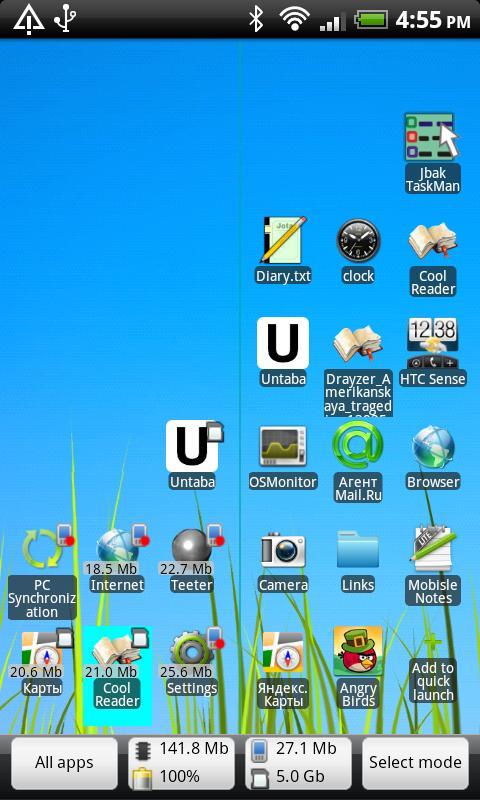
- Task-list and quick-launch in one window
- Replacement for standard task-switcher (long-home press)
- Detailed settings for HOME key - you can use simple, long and double press for launching apps
- You can put into quick launch contacts, files, applications, runned tasks, etc.
- Rules for application. There you can set screen backlight and orientation in any program.
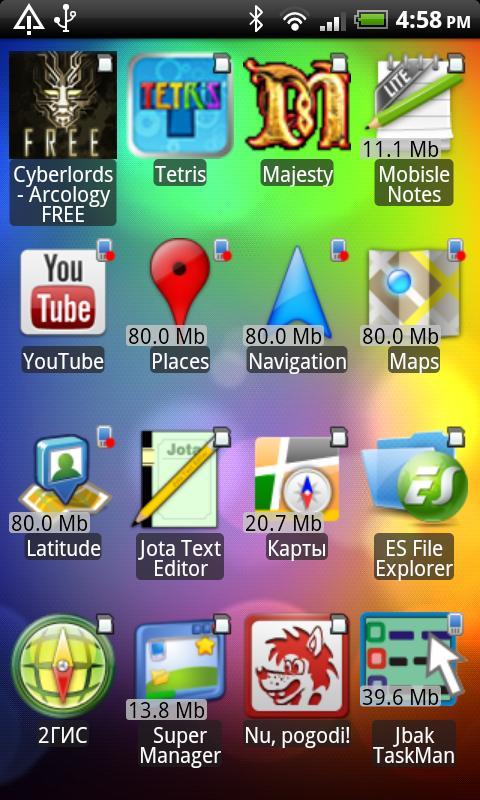
- List of all installed applications with sorting by name, storage-type and install date.
- With quick-launch you can create additional shortcuts for desktop - by copiyng it to desktop from context menu
- Organize item in quick launch with folders
- TaskMan can disable unlock slider
- And more
For correct work you need run service Jbak TaskMan in Accesibility settings (see taskman's settings).
For key HOME handling you need to set Jbak TaskMan as default desktop. If something set not correctly - then you can see warnings in application settings.
By default, taskman shows recent tasks, as system switcher. If you kill task from this list - item will not remove from list, this is not a bug.
You can set showing running tasks in settings - then items will remove from list after kill.
Long HOME handling works better, if window animations disabled in Settings-Display.
更多应用信息
最新版本0.86更新日志
Last updated on 2015年08月17日
(+) Rules for applications. With rules you can set task killing, backlight and screen orientation for any app
(+) Application list can be sorted by name, memory type and install date
(+) Settings for window background. You can use desktop background, system dark and system light.
(+) Added Italian translation.
(*) Many changes in app design
(+) Items in all lists can be placed from bottom to top
(+) In task list you can see all runned tasks
(!) And many other
Jbak TaskMan 屏幕截图

Jbak TaskMan历史版本
196.5 KB2015年08月17日