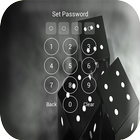

About AppLock Security
AppLock SecurityApp LockAppLockApplication Lockapp locklockLock phone
AppLock Android lets you hide your pictures and videos. It is you who decide who has access to what. You can always show your public gallery to your friends. Take control of your privacy!
• Protects applications using a password or pattern
• Chest pictures
• Chest videos
• Customize the background, choose your favorite photo
• Profiles are easy to change locks
• Automatic lock at given time
• Automatic locking at the given location
• Hide AppLock icon
• Random keyboard
• Lock button (WiFi, BT, 3G data / 4G ...)
• Widget locking / quick release
• Blocks incoming or outgoing calls
• Lock System Settings
• Lock Google Play Store
• Quick release switcher on the status bar
• Re-lock policy: allow short exit, no need to unlock
• Prevent applications to be uninstalled
The icon • Hide App Lock launcher
• App Lock can be prevented from uninstalling
• Lock Application can not be killed by gunmen in the task
• Small footprint and energy saving
AppLock Security, your security guard, is a professional App Locker.Il is easier for you to protect your private data! Nobody can check your photos, except you.
▲ Choose APP Lock, you do not have to worry about your friends borrow your phone to play games.
▲ Choose APP Lock, your colleagues can not verify your privacy with your phone anymore.
▲ Select Lock APP, never worry about your private data can be read by other applications.
▲ Choose APP Lock, children are not able to change the settings of your phone and spoil your data.
App Lock, best App Locker. You deserve to choose.
◎ Feature:
Tell your SMS, contacts, gallery, or other control applications by third parties without your permission.
----------- ****** --------
1) How do I access code first?
Open App Lock-code-Re_enter Enter your password.
Select applications that you want to lock-Next.
applications with access setting use using access Lock-enabled app.
Finish.
2) How do I change my password?
App Lock Open-Frame Edit.
Enter the code-access Re_enter password.
3) How to change the theme of App Lock?
Open App Lock-Number / Pattern / DIY.
Choose the style you like.
Download Apply.
Additional APP Information
Latest Version
1.0Uploaded by
Aihan Rekany
Requires Android
Android 2.3.4+
Category
Free Tools AppContent Rating
Everyone
Report
Flag as inappropriateWhat's New in the Latest Version 1.0
Last updated on Oct 31, 2016
This release includes minor bug fixes and general improvements. Update to the latest version for the best experience.
AppLock Security Screenshots


Old Versions of AppLock Security
13.0 MBOct 31, 2016