




About AppLock Cube
Security Applock theme Cube, protect privacy security with app lock &password
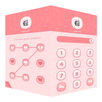
Cube AppLock with AppLock Theme Cube is a privacy guard and app lock to protect apps with password applock or pattern applock and put a beautiful Cube theme as applock theme to lock apps and hide photos with free applock features. AppLock Theme Cube is your privacy guard with app lock functions . It can help you lock apps, hide photos and lock video, lock files and more. It works perfect on samsung s5 s7 screen and galaxy theme with beautiful Cube forecast sky with nice unlock pattern and password to secure android privacy keep safe of pictures and videos. Launcher theme Cube to lock screen for applications, unlock applock with your password .
Use applock theme Cube, you can lock sensitive apps with your secret password.
Use applock theme Cube, you will never worry about privacy security.
Use applock theme Cube, put a beautiful Cube theme as lock app background.
Use App lock theme Cubeto lock apps, games,photo, hide video, lock incoming call, lock important files, lock chat, contacts, SMS (lock messenger message), email, anything you want to lock. Build privacy fence for android using super applock the privacy guard!
Cube AppLock theme Feature list:
1) AppLock to lock installed apps, such as lock facebook, lock messenger
2) Lock incoming calls to stop snoopers on your private phone call
3) Lock Photo and hide pictures & sensitive photos stored in photo vault
4) Lock Video and hide secret videos in video vault to protect privacy
5) Cube App Lock can catch intruders for you to protect privacy safe
6) Lock recent apps to stop peeping recent apps record
7) Beautiful applock themes to change app lock screen
8) App fake cover: use fingerprint & force close to confuse intruder
9) DIY applock theme for locked apps
10) Support password / pattern / fingerprint lock shift
11) intruder selfie : take pictures of intruders for 1-5 times. Catch intruders for you .
12) Plug-in : Kids Lock (Kids Time) & Guest Mode guest lock
13) hide pattern draw path
14) random password settings
15) custom lock frequency: always lock/ 5 minutes/ when screen locked...
16) custom mode: choose your own profile settings
17) float widget: easy shift
18) lock files: secure important documents inside
--FAQ--
1) How to change password?
Open App Lock Aurora. Reset password in settings.
2) How to stop other people uninstall AppLock?
If someone uninstall Applock, all previous protected apps and secrets are exposed to intruders.
In this case, please enable Advanced Security, nobody can uninstall App Lock Aurora without password. If you want to uninstall it, please disable advanced security first.
Any question about the app lock , please contact us by email Charlie: bastersnow123@gmail.com.
Additional APP Information
Latest Version
1.0.9Uploaded by
Ronit Bhattacharjee Rock Ronit
Requires Android
Android 4.0.3+
Category
Free Personalization AppContent Rating
Everyone
Report
Flag as inappropriateWhat's New in the Latest Version 1.0.9
Last updated on Sep 28, 2016
1. Support more devices
New app lock password / pattern unlock design;
2. Enable screen lock, more secure;
3. Enjoy breaking news anytime, anywhere on screenlock interface;
AppLock Cube Screenshots


Old Versions of AppLock Cube
All Versions
Related Tags












Leave a review for AppLock Cube
Add Reviews