Scan Date:Jul 17, 2026
Show More
App Management 😊 is an Android app manager, APK extractor, app usage tracker, permission manager, cache cleaner, and device information tool built to help you organize apps and understand your phone better.
Manage installed apps, check APK details, review permissions, monitor usage, inspect storage, and find apps that may need attention from one clean and simple interface.
📱 App Manager
View all installed apps in one place. Search apps by name or package, sort apps, and filter user apps or system apps for faster app management.
📦 APK Backup and Sharing
Save APK files locally and share apps through supported sharing apps such as email, messaging, or file sharing tools. View APK location, app size, package name, version name, version code, install date, and update date.
🔎 App Details Viewer
Open detailed information for every installed app, including package name, UID, app type, minimum OS, target OS, app size, app version, install date, update date, launcher icon, APK path, data location, protected data location, and native library location.
🔐 Permission Manager
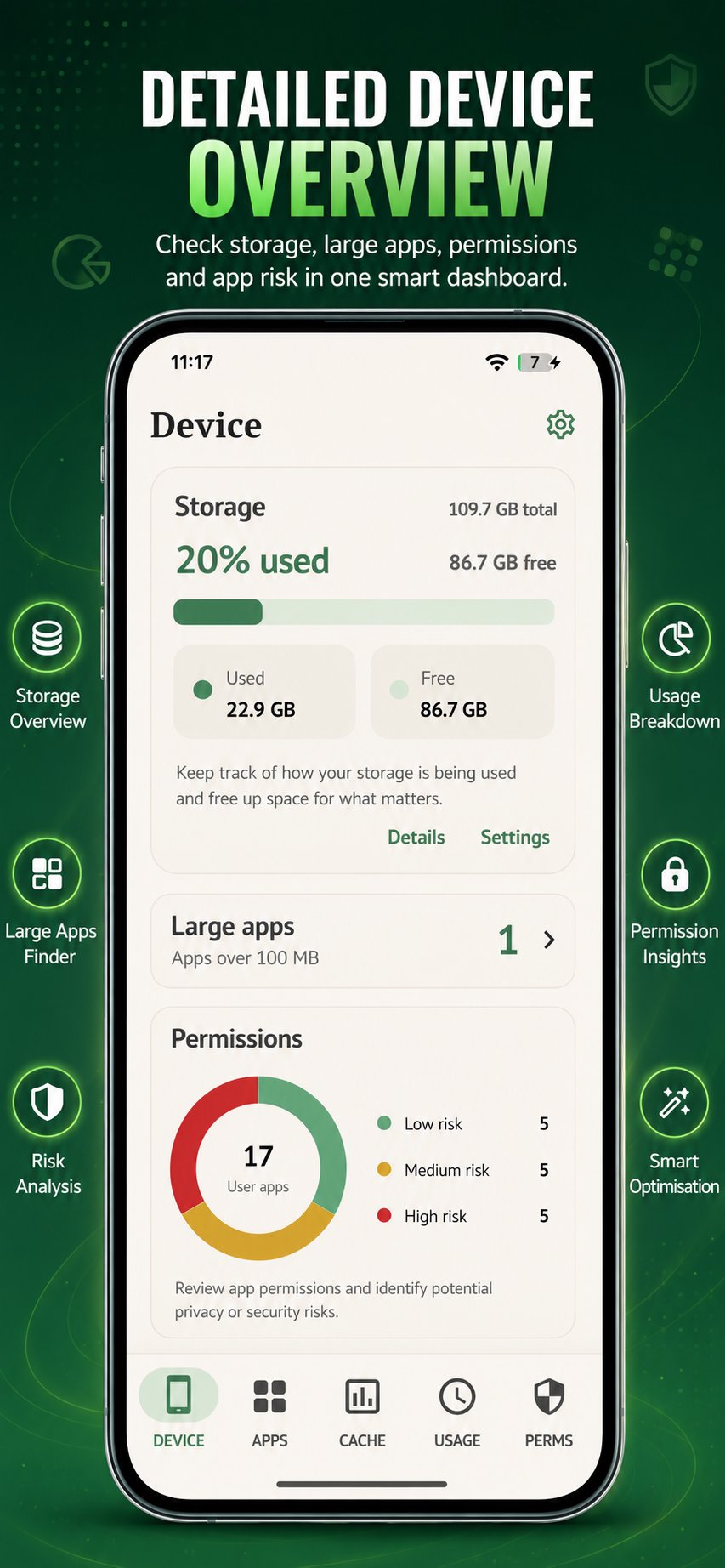
Review app permissions and identify permission-heavy apps. Check requested permissions, granted permissions, denied permissions, and permission risk insights to better understand what each app can access.
📊 App Usage Tracker
View app usage information when usage access permission is enabled. App Management helps you understand app activity and identify unused apps or apps that may need attention.
🧹 Cache Cleaner and Storage Insights
Review cache and storage information for installed apps. Find cached apps, large apps, unused apps, and storage-heavy apps so you can decide what to clean or manage.
⚙️ Device Information
Check useful device health details, including RAM, storage, ZRAM, installed app count, system app count, user app count, unused app count, and permission risk summaries.
🛠️ Advanced APK and App Components
Explore app activities, services, broadcasts, providers, resources, certificates, and manifest information. This makes App Management useful for users who want deeper APK details and installed app inspection.
🚀 Quick App Actions
Open apps, uninstall apps, launch app settings, open apps in Google Play, create app shortcuts, save APK files, and share APK files quickly from the app details screen.
🎨 Customization and Premium
Choose app themes for a personalized experience. Premium removes ads for a cleaner app management experience.
Why Use App Management? 😊
App Management brings multiple Android utilities into one app:
- Installed app manager
- APK extractor and APK backup tool
- App sharing tool
- Permission checker
- App usage tracker
- Cache cleaner helper
- Storage analyzer
- Device information viewer
- APK details and manifest viewer
Whether you want to manage apps, save APK files, review permissions, check storage, monitor app usage, or inspect APK details, App Management gives you practical tools in one place.
Important Notes
Some features require Android permissions such as usage access or accessibility service access. The accessibility service is used only to help navigate cache-clearing flows in Android system settings. Availability of app usage, cache, APK, and storage information may vary depending on Android version and device manufacturer. Manage all applications installed on your Android device.
Download App Management today and take control of your Android experience! Simplify app management, ensure data security, and enjoy a smoother, more organized application. Your Android deserves the best – choose App Management. 🚀✨
🌟 Join lacks of satisfied users worldwide – Download now! 🌟
Latest Version
8.4Uploaded by
Mari Elbaqidze
Requires Android
Category
Free Tools AppContent Rating
Everyone
Security Report
Report
Flag as inappropriateLast updated on Jul 17, 2026
This release includes minor bug fixes and general improvements. Update to the latest version for the best experience.





APKPure - A multi-platform app store primarily focused on Android, providing extensive app-related content. Discover the app you want easier, faster, and safer, with quick and efficient downloads and installations.