


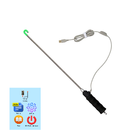

About Android Endoscope Classic
Android Endoscope, USB camera. Video & Photo
To use this app please check:
1) Your smartphone has OTG USB function
2) Your Microscope/Endoscope camera supports UVC standard
You can get as videos as photos on your gadget.
How does it work?
After you have installed this app, please reboot your gadget.
1) Videos. To start video recording you need press big button in the left top side of the screen.
2) Photos. To make the photo you need click "photo" icon left top side of the screen below "Videos icon".
Additional APP Information
Latest Version
21oct2018Uploaded by
Mahmad Maulud
Requires Android
Android 4.0+
Category
Free Productivity AppContent Rating
Everyone
Report
Flag as inappropriateWhat's New in the Latest Version 21oct2018
Last updated on Oct 22, 2018
1) Videos. To start video recording you need press big button in the left top side of the screen.
Android Endoscope Classic Screenshots


Old Versions of Android Endoscope Classic
All Versions
Related Tags


More Apps from Real.Visor
New Android Endoscope, BORESCOPE, EasyCap, USB cam
0.0

z HD Endoscope & USB camera for Android (2019)
0.0

USB camera & Motion detector (2019+)
10.0

Endoscope, Borescope, Microscope, USB camera 2019
0.0

Chinese endoscope for Samsung, LG (OTG USB camera)
0.0

USB camera for Samsung (USB 2.0, USB C-type)
0.0

USB camera, Endoscope for Samsung
0.0

Online camera & Motion detector & Cloud drives
8.0









