Package Name:com.appbolt.scattergraphmaker
SHA-256:6505c13b30c92a7ecfb76ba2be024aaf80e24301c916e0ea1732ca3411fe5b87
Show More

Scatter Plot Graph Maker is an Android application for creating scatter plots from numerical data. It is designed for students, researchers, teachers, and engineers who need to quickly visualize the relationship between two variables on an X Y graph.
With this scatter plot app, you can enter data points manually by typing X and Y values, or import data in bulk from CSV, Excel XLS, or XLSX files. Each import can handle up to 200 rows at a time. The app reads the first column as X values and the second column as Y values automatically.
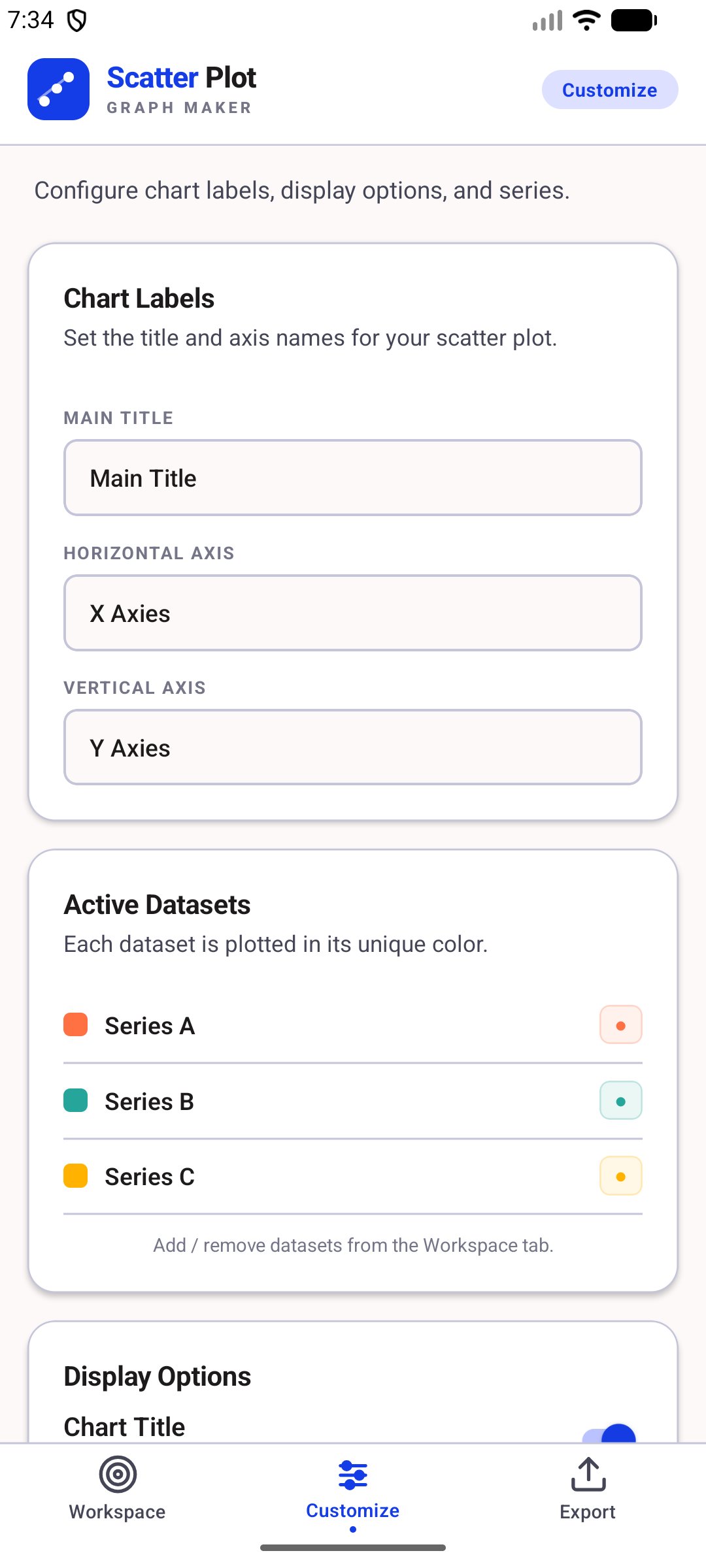
The scatter chart maker supports up to seven independent data series on a single graph. Each series is plotted in a distinct color, so you can compare multiple datasets on the same scatter diagram without confusion. You can add or remove series at any time from the workspace.
Inside the data table, you can view all your plotted points across X axis and Y axis columns alongside the series they belong to. Points can be sorted in ascending or descending order by X value, and individual data points can be deleted directly from the table.
The scatter graph includes an auto-scaling axis system that adjusts the range based on your data values, a graph paper style grid, and color-coded data point markers. In the Customize tab, you can set a chart title, label the horizontal axis, and label the vertical axis with your own text. You can toggle the chart title, the series legend, the background grid, and the linear regression trend line for each series on or off independently.
The trend line uses linear regression to draw a best-fit line through each dataset, which is useful for identifying data patterns and correlations in your scatter plot.
When your scatter chart is ready, go to the Export tab to save it to your phone gallery as a high resolution PNG image, or share it directly to any app on your device using the standard Android share sheet. The exported image includes your chart title, axis labels, legend, and all plotted data points exactly as they appear on screen.
This scatter plot creator works fully offline. No account, sign up, or internet connection is required.
Key features of this scatter plot graph maker:
Create scatter plots with up to seven color-coded data series Enter X and Y values manually or import from CSV and Excel files View and manage all data points in a sortable data table Customize the chart title, X axis label, and Y axis label Toggle grid lines, legend, chart title, and trend lines Linear regression trend line per data series Export scatter chart as PNG to gallery or share via any app Auto-scaling axes based on your data range No internet connection required, works fully offline
This application is suitable for school and university students plotting experimental results, science and engineering professionals visualizing measurement data, data analysts comparing multiple variable relationships, and teachers who need to create scatter diagrams for classroom use.
Latest Version
1.5Uploaded by
Andrzej Hulbój
Requires Android
Android 7.0+
Category
Free Tools AppContent Rating
Everyone
Security Report
Check Now
Report
Flag as inappropriateLast updated on Jul 27, 2026
implement the ads






APKPure - A multi-platform app store primarily focused on Android, providing extensive app-related content. Discover the app you want easier, faster, and safer, with quick and efficient downloads and installations.