




About Keyboard Themes
Set Your Favorite theme in your keyboard
In the present scenario to be more spontaneous in replying the mail or typing the URL you should be proactive and be quick with your daily mails hence the Android keyboard can easily help you with your daily stuff.
In the race of the winner .Time Factor is Important for everyone that’s why Keyboard Features will help you to be more active and for quick response.
Key Features:-
1. Multiple themes can be set (By Default).
2. Custom Keyboard can be set as by default.
3. Enable the keyboard with multiple languages.
4. Cantonese Google Input(For translation )
5. Language can be changed (Google voice type)
6. Options to change the input method from Google (By Default)
and Android (Its Own).
7. Set the themes, inbuilt themes can be set.
8. User can create his own theme from the gallery.
Note- User can give input through one- handed, two- handed or through the gestures hence by fabricating this key board you can be the faster at least than the average.
Screen 1 – Soft Keyboard
1.Let’s have a touch of Keyboard.
Screen 2- Change the Input Method.
2.Choice to change the input.
Screen 3:-Language and Input
3.Filter the keyboard Inputs
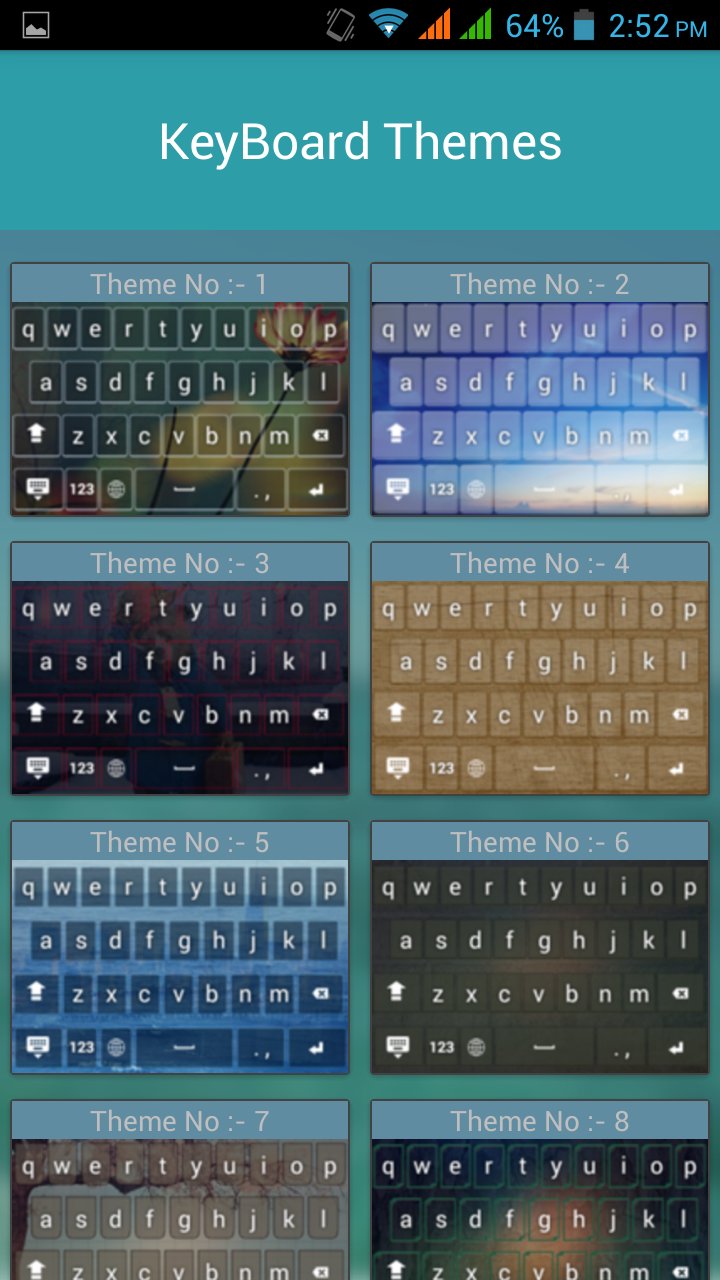
Screen 4:-Keyboard themes
4. Attractive inbuilt themes of Keyboard
Screen 5:-Custom Keyboard
5.Real side of Keyboard.
Screen 6:-
6. Custom Keyboard allows you to select from gallery or photo.
Screen 7:-
7.Get set your Theme for background or the Keyboard.
Additional APP Information
Latest Version
1.0Requires Android
4.2 and up
Category
Free Music & Audio AppContent Rating
Everyone
Report
Flag as inappropriateWhat's New in the Latest Version 1.0
Last updated on Feb 20, 2017
This release includes minor bug fixes and general improvements. Update to the latest version for the best experience.
Keyboard Themes Screenshots




Related Tags















Leave a review for Keyboard Themes
Add Reviews